Showing posts with label cricut. Show all posts

Monday, August 8, 2016

KBD: Cricket Bug Tear Bear Scrapbook Embellishment


Today, I'm sharing this super cute Cricket Bug. I created this with a svg cut file from Kadoodle Bug Designs.

I used an exclusive file found only in this group. 
Cricut Lovers guide to Design Space.

But you can find them on the Kadoodle Bug Designs website at well here:

I uploaded this file to Cricut Design Space and then cut out the pattern with my Cricut Explore. I then made my bug pieces furry using a process called tear bear.

I chalked my pieces using Colorbox Chalk and then pieced it all together.
Thanks for visting today!

You can find these available for purchase here in my shop.


Saturday, May 28, 2016

Ballerina Scrapbook Embellishment


Custom Made to Order Ballerina Dancer Scrapbook Embellishments.
Found right here in my shop


These are created with a svg cut file from Little Scraps of Designs.

I uploaded the file to Cricut Design Space and cut the pieces out with my Cricut Explore.

Tuesday, February 9, 2016

Cupcake Bear Valentine's Day 3D Tear Bear Box Frame


Hello! Welcome to Leinzlove Tear Bears. Today, I'm sharing this 3D Box Frame that I created using different techniques.

I used a super cute bear from Kadoodle Bug Designs. I uploaded this SVG cut file to Cricut Design Space and then I cut out the pattern with my Cricut Explore.

I tore my tear bear out of thick mulberry paper, chalked him up real good and added embellishments, stickers, and glitter.

I also used super cute patterned and embossed paper.

I glued it all down using Fabri- Tac and attatched it to this box frame.

The box frame is a file in Cricut Design Space on the Tags, Box and More 2 cartridge. I sliced down the square box lid to make this. It is sized 5x5.

You can find this for sale in my online shop here.


This is linked up in my favorite challenges.

Monday, February 1, 2016

My Besties Copic Coloring Flower Fairy

Hi, Everyone! Today, I'm up on the

Join us for the Monthly Challenge, "Anything Goes" Must Use a My Besties.

 Onto my My Besties, Design Team Project!

This is My Besties, By Sherri Baldy Image 790 Found

HERE. 
https://www.etsy.com/listing/248500764/instant-download-digital-digi-stamps-big?ref=shop_home_active_7

Join these SUPER FUN Groups
 My Besties Designs Facebook Group HERE!
Meet at the Scrappers Corner Facebook group HERE! 
I created this Card using a super cute My Besties digital stamp.
I also used cardstock, flowers, gemstones, Cricut Explore and the Cricut Score tool.
I colored my Bestie with Copic Markers.

Thanks for your visit. It has been a pleasure to share my inspiration.

This is linked up in my favorite challenges:


Thursday, January 28, 2016

5x5 Angel Bear 3D Box Frame


Hello everyone! It's my day on the Kadoodle Bug Designs Blog
 
I made this cute tear bear with patterns from Kadoodle Bug Designs found at the following links.
 
 
I unzipped the svg cutting files and pasted them on my computer in a new folder. I then uploaded the svg files to Cricut Design Space and cut out my patterns for my tear bear with my Cricut Explore. I also cut the daisy flower, Angel Wings, Halo, clouds and the box frame.
 
Speaking of the box frame. Its just a regular square box lid fit and cut using the score line in Cricut Design Space. This box is on the Tags, Boxes and More 2 Cartridge.
 
I tore my bear out of mulberry paper using a process called Tear Bear. I then chalked all of my pieces with Colorbox chalk and added details using black and white Signo gel pens.
 
For my box frame I used cardstock from Doodlebug Designs.
 
I made this custom for a friend.


Thanks for your visit today!
 

Tuesday, January 26, 2016

Polar Bear Winter Tear Bear Embellishment

 
Hi everyone! Today I'm sharing a tear bear that turned out super cute and fuzzy. I am very happy with her! :)
 
I made this using a super cute Smore Bear pattern found here at Kadoodle Bug Designs.
 
I uploaded the unzipped svg cut file to Cricut Design Space and I cut it out with my Cricut Explore. I made it furry by tearing it out of thick mulberry paper and doing a process called Tear Bear.
 
I then chalked my pieces in Colorbox chalks and inks. This blue on my bear is in the color called surf.
 
This creation was super fun!
 
I staged it here on a card!
 
 
It is also my giveaway here on my Facebook Fan Page.


This is linked up in the following challenges.


Monday, January 25, 2016

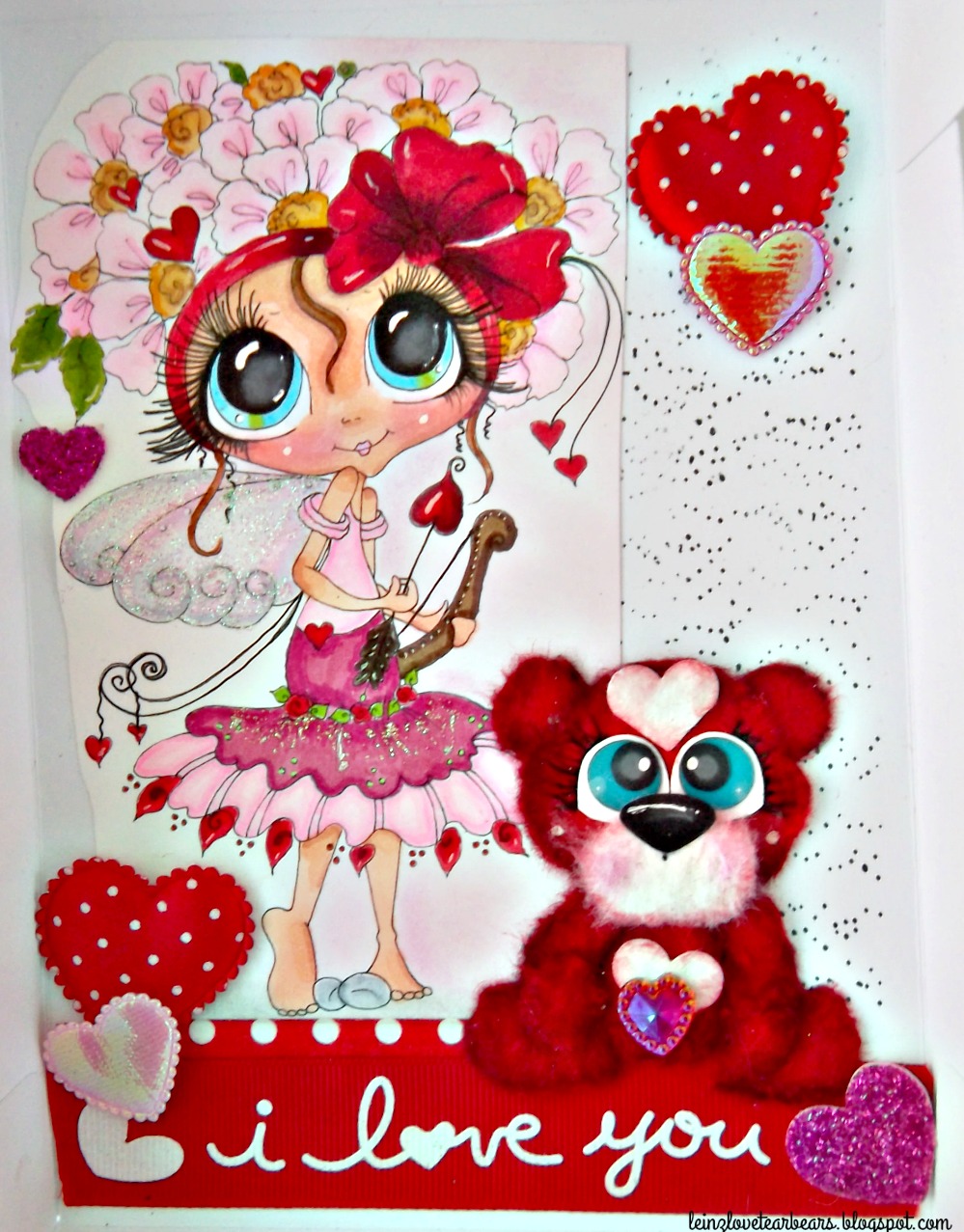
My Besties Cupid Box Frame w/ Tear Bear


Today, I'm sharing a Valentine's Day project I created using a My Besties Digital Stamp by Sherri Baldi. 
 
You can find digital stamp img949 for sale here in the My Besties Shop.
 
 I colored My Bestie with Copic Markers. I'm not sure what colors I used. But I do remember the reds are R36, R37 and R59. I love these colors together.
 
For my super sweet bear I used a pattern from Kadoodle Bug Designs.
 
I used a border stamp from Craftin Desert Diva's for the border splatter. I added an "I love you" ribbon, fabric hearts and heart gems for more embellishment.
 
I made the outer shell a box frame using a box from Cricut Cartridge Boxes, Tags and more 2. I then cut it with my Cricut Explore.

I added stickles to her skirt and angel wings.
 
I have this Cupid Box Frame available for sale in my Etsy Shop here:
 
This was super fun to make. Thanks for your visit today!


This is linked up at:


Friday, January 22, 2016

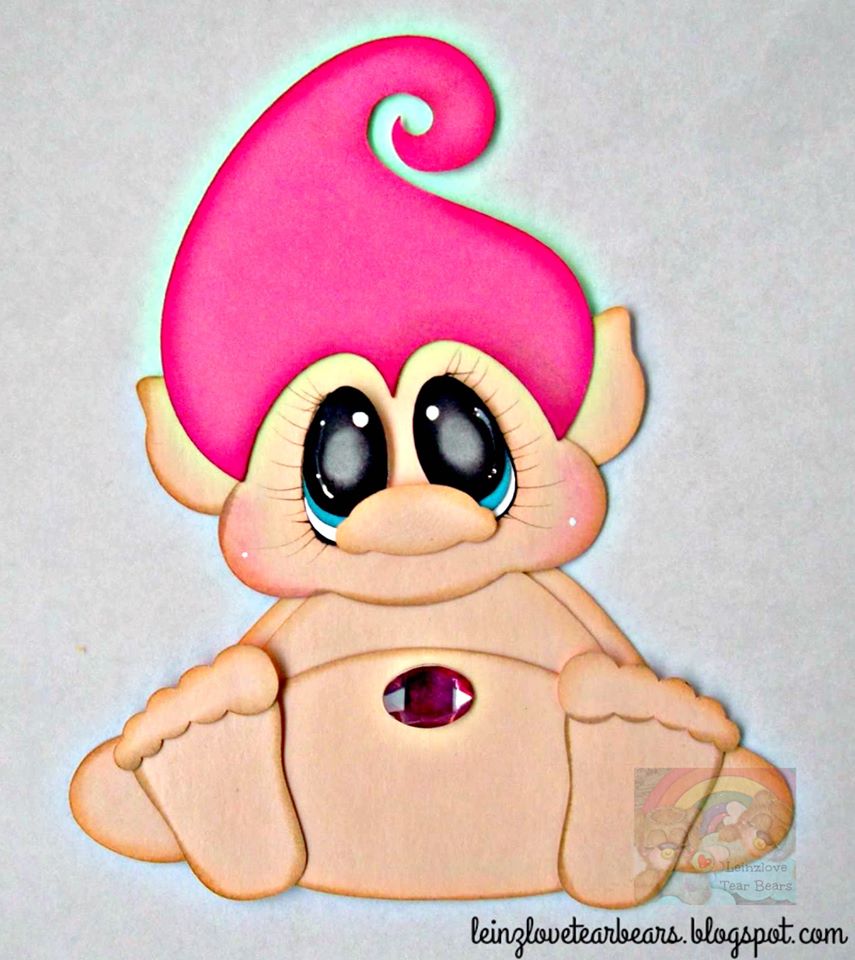
Trolls, Trolls, Troll Scrapbook Embellishments


Today I'm sharing Troll Scrapbook Embellishments. I purchased the file from Treasure Box Designs. I couldn't resist. I made 3 of them, but I could easily make a lot more. They are so cuuuute and I am all about cutesy,

I unzipped the svg file and uploaded to Cricut Design Space and then cut it out with my Cricut Explore.

I chalked my peach cardstock pieces with Colorbox Toffee. My hair with Color Box Chalk an inks.

I used gems for their super sweet bellies. This was so much fun.

You can order these here in my Etsy Shop.


Want it made custom, send a message on Etsy! :) I take custom orders.


Thursday, January 7, 2016

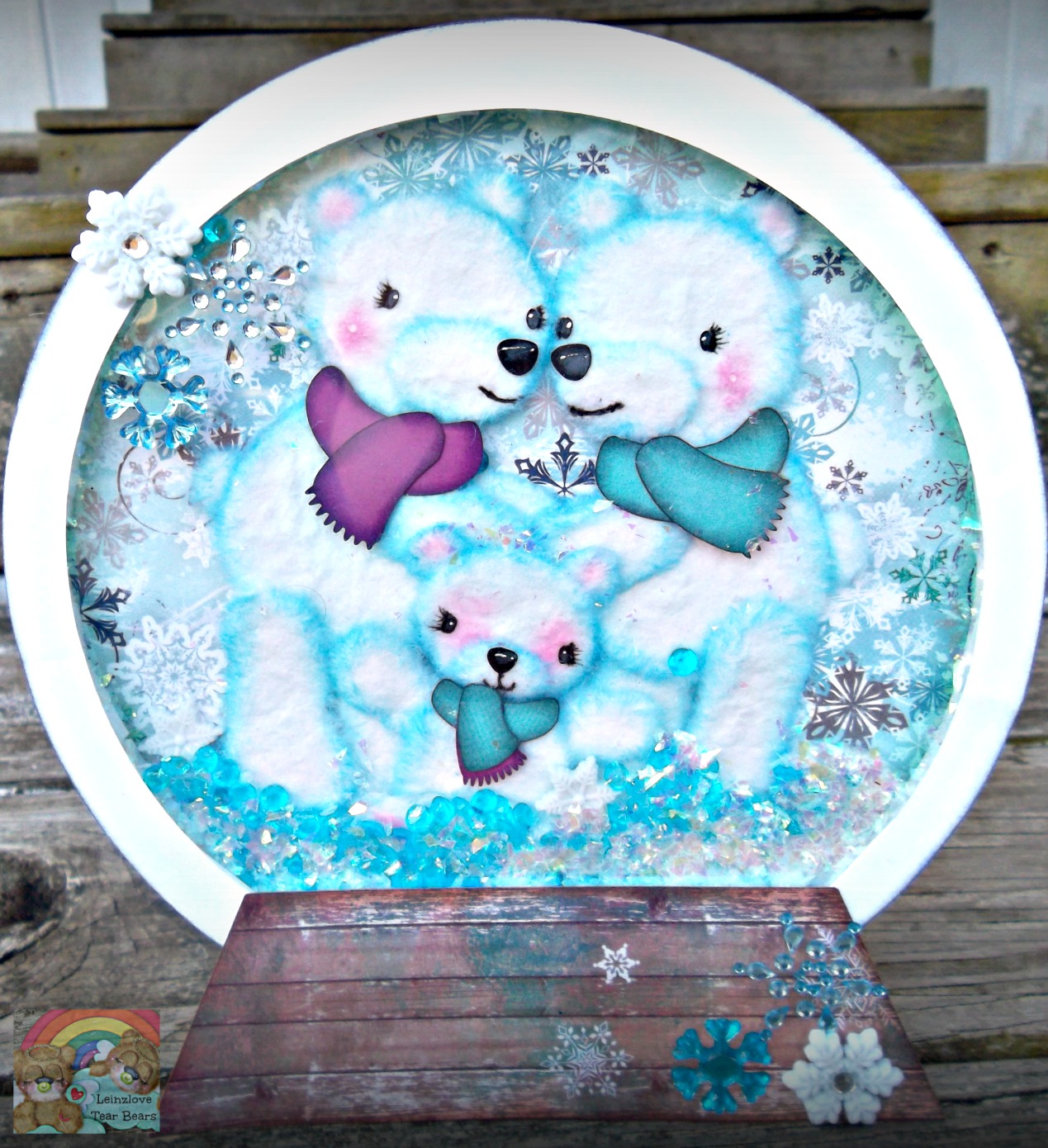
Polar Bear 3D Snow Globe


Hi everyone! I was on the Kadoodle Bug Designs blog, yesterday. I made this 3D Standing Snow globe Decoration. I had a lot of fun with this.
 
I used the file "Polars on Ice found here at Kadoodle Bug Designs.
 
After unzipping the individual svg cut files I uploaded them to Cricut Design Space. There, I designed my snow globe with basic shapes.
 
I share these files FREE for Cricut users:
 
These files are for the snow globe that I designed in Cricut Design Space ONLY. The Polar Bear file is found here.
 

I chose Bo Bunny Scrapbook Paper for my snow background and the base of my snow globe. I love Bo Bunny!
 
After using my Cricut Explore to cut out my tear bear patterns and that of the snow globe.
 
I focused on these fluffy bears! I tore them out of thick mulberry paper and chalked the pieces with Clearsnap in Cyan, Purple and Charcoal. (Ink and chalk.) I used pink Peebles chalk for the cheeks, inner ears and paws.
 
I used black and white gel pens and Frost White Clearsnap ink for detailing these bear embellishment faces.
 
I then assembled all of the pieces using Fabri- Tac. I took one last soft brushing to the fur to make them look even fluffier! I love paper crafting!


I took the layers to make this 3D. I cut out a circle of acetate sheet to make a clear window. I taped all around the edges using 3 layers of foam tape so it'd fit my polar bears and shaker mix. I used Spare Parts, blue stones and shave ice by Stampendous for my mix. Yes, it shakes! Let is snow!
 
I then attached the circles and added a small box to the back so it would stand up. I attached the base, and to complete my project I embellished with more spare parts and gemstones.


Trailer
 
This is a gift for my sweet sister. This is her first winter as a mother. <3
 
Thanks for your visit today! It was my pleasure sharing this Cricut project with you. Happy Crafting!


Thursday, December 24, 2015

Gingerbread dressed Tear Bear Embellishment


Happy Christmas Eve! Wow! Santa will be coming through here in a few hours. I was totally busy with Christmas festivities. When Melissa from Kadoodle Bug Designs released this as a FREEBIE! Wow, isn't that holiday cheer. Download the FREE svg here,

Yes! Isn't it the cutest!?! Wow!

I couldn't wait! I just couldn't, I wrapped Christmas presents quick and was right back on Cricut Design Space cutting this svg file out with my Cricut Explore. 

I used mulberry paper to make this tear bear furry.

I used more of the super sweet Sugar Plum collection from Doodle Bug Design, as well as some cute sprinkles from the same collection.

I added some Diamond Stickles to all of the icing spots on my ginger mulberry bear. Look close for some reason the camera doesn't capture all of the details well.

I have this available for sale here on Etsy!


This cutie as staged on a Christmas card. :)


Thanks so much for your visit today! :)

Wednesday, December 23, 2015

Little mitten Christmas Tear Bear Wreath


Hello everyone! Today is my day on the Kadoodle Bug Designs blog.
 
I am sharing this Little mitten Christmas Wreath.
 
I purchased this wreath from Joane Fabrics at 50% off during black Friday. I knew that I wanted to use it as a gift for my Mother in law. I also knew that I wanted my children to do something for it as well.
 
I chose a cute bear from Kadoodle Bug Designs. I chose to make this cute bear black. I made him real big to look right on this 22 inch Christmas wreath.
 
http://kadoodlebugdesigns.com/shop/index.php?main_page=product_info&cPath=19&products_id=366
 
I made my design in Cricut Design Space and cut my tear bear pattern with my Cricut Explore. I tore my bear out of mulberry paper to give him a furry appearance.
 
 
To involve my children. I stamped their hands in black tuxedo Momemto ink onto white cardstock. I thin cut out their prints and wrote their name in white Signo ball gel pen onto each hand.
 
I used the cricut cartridge "Holiday Cakes" image Mittens to cut out my mittens. I then used twine to attach each mitten to a hand. Like when you flip over a mitten you see a tiny hand. I attached Stampendous shaved ice to each mitten cuff with Fabri tac.
 
 
Its hard to believe its Christmas Eve Eve! Thanks for stopping by and Merry Christmas!
 
This is linked up:


Friday, December 11, 2015

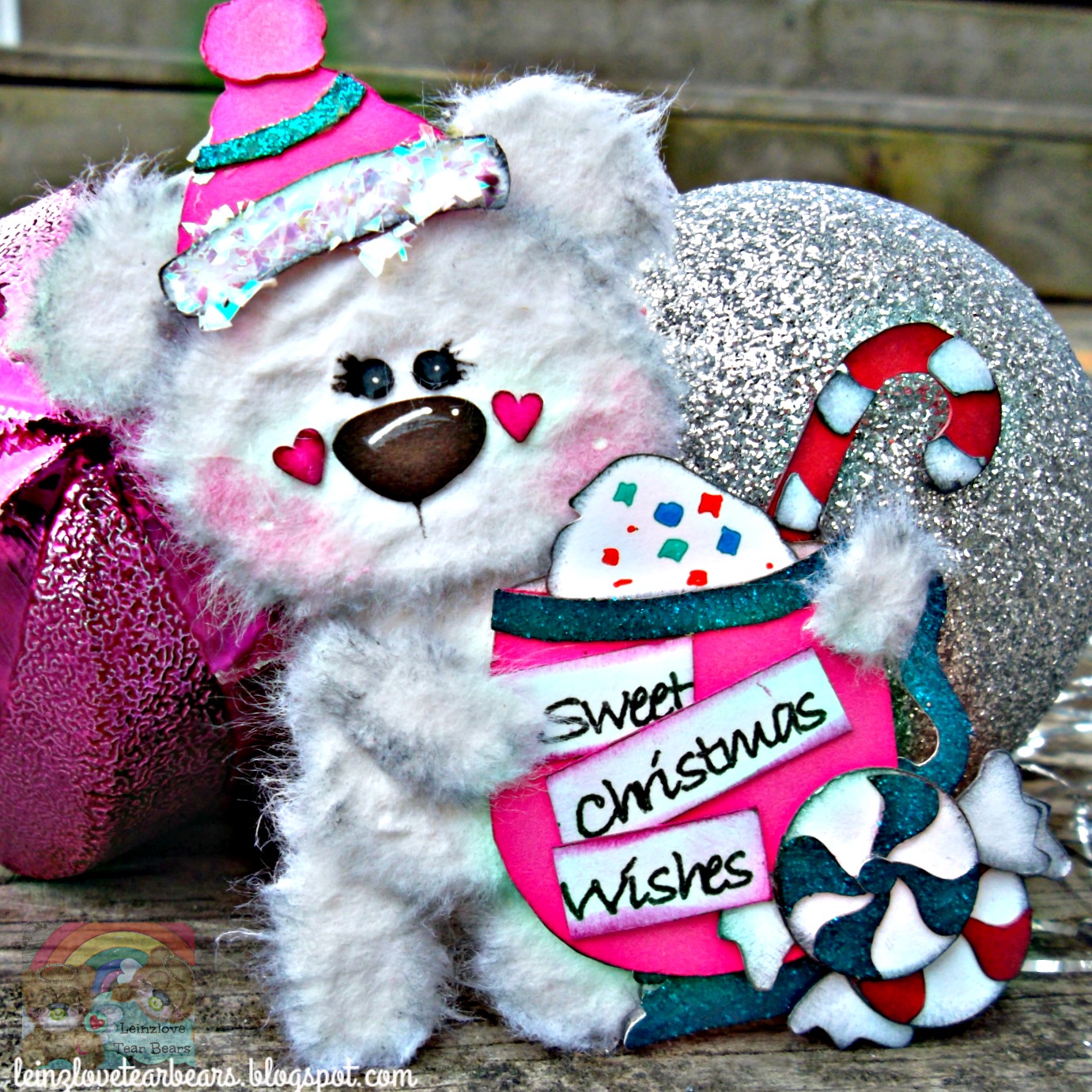
Sweet Winter Tear Bear Embellishment

 
Today, I'm sharing a Tear Bear Christmas Card using a super cute new file from Kadoodle Bug Designs.
 
I made my own pattern by uploading the file to Cricut Design Space and cutting it out with my Cricut Explore.
 
The background it paper by Doodlebug Design. I also used some glitter cardstock.
 
I made my tear bear out of thick mulberry paper. I traced each piece of my pattern onto the back of it. I then wet the outlines with a water brush. And then I tore out each piece.
 
I used Fabri Tac to assemble my pieces into layers and then I chalked each piece with Charcoal Chalk by Colorbox.
 
I took a wire brush to all of the pieces turned upside down. I then assembled this bear embellishment. I used a white gelly roll and a black micron .05 to add more details.
 
I took a soft brush to the bear and attached the tear bear to my card.
 
\


Tuesday, November 10, 2015

Tear Bear Elephant: Christmas Card


Today, I'm sharing a Christmas card that I created using my Cricut Explore. I uploaded the cute "Zoo Crew" svg cutting file from Kadoodle Bug Designs. This is how I got the pattern for my tear bear. I also cut out a present, a title, card base and Santa hat. 

I used blue glitter paper, and cardstock from Doodle Bug Design. The super cute gingerbread and white sprinkle are also from Doodle Bug Design.

I tore the elephant out of thick handcrafted mulberry paper using the tear bear technique.

This was super fun to create. I will be giving the tear bear Christmas elephant away on my Facebook fanpage this week.


This project is linked up in the following linky parties.

New Linky Every Friday: Always Anything Goes

Craftin' Desert Divas

Thanks for visiting!