Showing posts with label 3d project. Show all posts

Friday, October 21, 2016

Fall Ultrasound Pregnancy Tear Bear Sonogram Frame


Hello, Today I'm over on the Kadoodle Bug Designs Challenge Blog. I'm sharing my latest creation which is part of the New Kadoodle Bug Designs Facebook Challenge going on here: Kadoodle Bug Designs Facebook Challenge.

The theme is Halloween or Anything Happy.

I created this Sonogram box frame using my Cricut Explore and the following SVG cut Files from Kadoodle Bug Designs. These are must haves and have no many uses.


I designed this in Cricut Design Space, and cut out everything with my Cricut. I also made the titles using design space. I cut extra leaves, pumpkins and added a few cute stickers.

I chalked all of my piece edges to add extra dimension and used black and white gel pens to add more detail. This was a super fun project.

This is how I made my tear bear. I cut the pattern out in cardstock and then traced them into mulberry paper. I then hand tore the pieces in two layers and then glued them together. I flipped them upside down and fluffed the edges with a wire brush, hand chalked and pieced together like my other paper piecings. I finished then off by brushing my bear with a soft brush.

I had so much fun making this and thanks for stopping by.


Saturday, April 30, 2016

My Besties: Fluffy Mermaid Shadow box

Hi, Everyone! Today, I'm up on the Color It, Create It, Show it off,  Challenge Blog.

Join us for the Monthly Challenge, "Anything Goes".


Onto My Besties, Design Team Project!

I used My Besties, By Sherri Baldy Image 024 Found Meet Fluffy Mermaid.


https://www.etsy.com/listing/248500764/instant-download-digital-digi-stamps-big?ref=shop_home_active_7

Join these SUPER FUN Groups
 My Besties Designs Facebook Group HERE!
Color It, Create It, Show it Off Facebook group HERE!

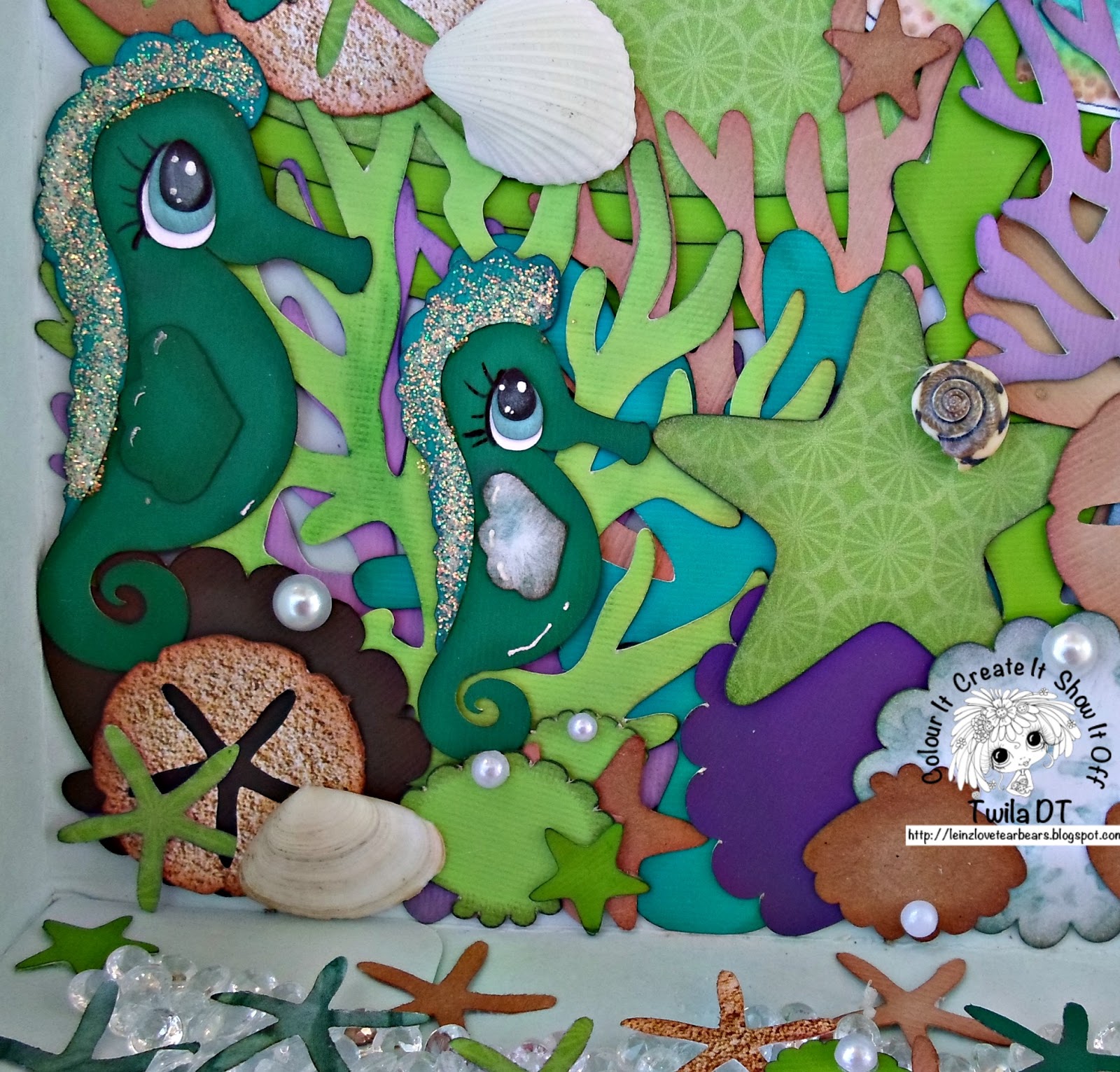
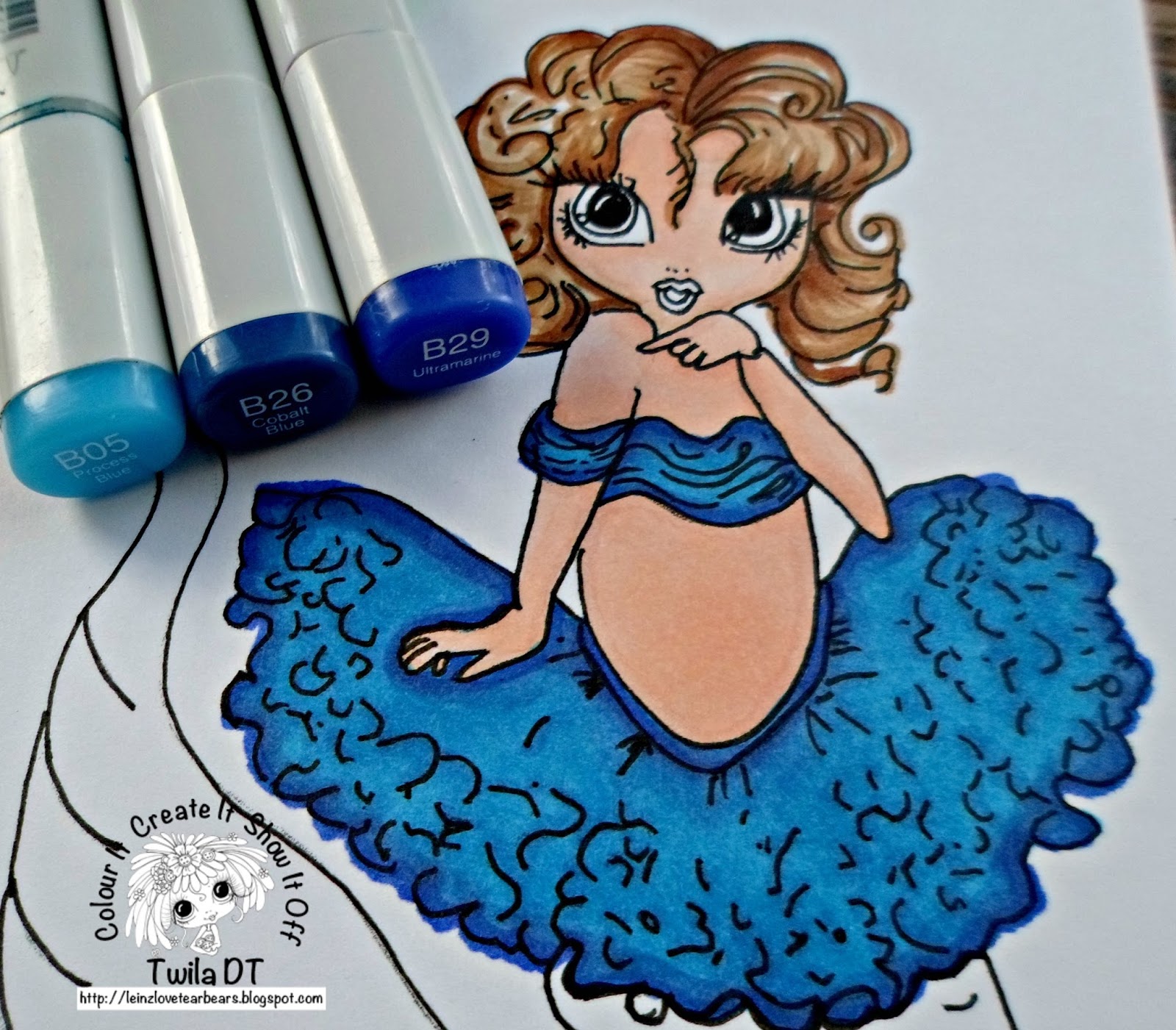
I had so much fun with this! I colored my digital stamp using Copic markers. I then used a svg cutting file from Treasure Box Designs to make the sea horses, shells and all of the decorations.

I uploaded this file to Cricut Design Space and cut it out using my Cricut Explore. The sand dollars a Martha Stewart Paper Punch. I finished my shadow box off by embellishing it with clear rocks, shells and  pearls.

 Thanks for your visit. It has been a pleasure to share my inspiration.


Friday, April 29, 2016

Jungle Themed Shadow Box: Wedding Gift


Hello Friends! Today is my day on the Kadoodle Bug Designs blog. I'm sharing this jungle themed shadow box that I made for my best friend. She is getting married this Sunday. I used her actual invitation and then decorated to match it.

I made my giraffes out of cardstock because I needed them big and wanted them to be the main focus of this project. Mulberry paper is best used for 5 inch embellishments or less. My best friends favorite animal is giraffes, so that was an easy choice.

I then added other zoo animals that I made furry using mulberry paper and a process that is called tear bear.

I added green Petaloo flowers and large gems. The background paper is the Zoology collection by Bo Bunny. I used the 6x6 paper pad. I adhered everything to a 12x12 piece of cardstock, put it in my frame and added sequins. 

I had a minor problem with sequins falling out of my shadow box frame. I used some tape of the bottom corners to fix this problem.

I uploaded files from Kadoodle Bug Designs to Cricut Design Space and cut out the patterns  with my Cricut Explore.


I had so much fun making this. It took many hours but it was well worth it!
Thanks for visiting today.


Saturday, April 16, 2016

3D My Besties Mermaid Purse

I'm honored to be featured in Art Coure's Magazine post found here:


Hello everyone! Today I'm sharing a 3D Mermaid Purse, I used a My Besties Digital Stamp. You can find it available for purchase here.

My - Besties Lil Ragamuffin Mermaid


I colored this gorgeous Mermaid with Copic Markers. See the pictures below for specific colors.

I added green sequins with glue for her tail.

For the purse, I used an Exclusive svg cut file made by my best friend, Mindy Beverly. I cut it with my cricut Explore. I then embellished with clear beads and sea shells.

I had so much fun with this. Thank you for your visit today!


This is linked up in the following challenges

Friday, April 1, 2016

PDE Linky Party: Tear Bear Panda Card


Welcome to Leinzlove Tear Bears!

It's time for this weeks challenge over at PDE LINKY PARTY.

This week, I'm sharing this tag. I made this with a pattern from Little Scraps of Heaven Designs.

I uploaded the svg cut file to Cricut Design Space and then cut out the pieces with my Cricut Explore. I then traced the pieces into the back of thick mulberry paper and tore them out. Its a process called tear bear.

I then attached my bear to a tag base created from DoodleBug Design cardstock.

Thanks for your visit.

Play along with us at the
New challenge every Friday!
Always Anything Goes!


Tuesday, March 15, 2016

My Besties Coffee w/ Tear Bear Box Frame


Join us for the Monthly Challenge, "Anything Goes".

Onto My Besties, Design Team Reminder Project!

I used My Besties, By Sherri Baldy Image IMG 947 Found HERE.


https://www.etsy.com/listing/248500764/instant-download-digital-digi-stamps-big?ref=shop_home_active_7

Join these SUPER FUN Groups

My Besties Designs Facebook Group HERE!
Color It, Create It, Show it Off Facebook group HERE!

I colored this gorgeous My Besties Digital Stamps using Copics. 

I used Stickles for her fairy wings to make them sparkle. I attatched this to Bella Bvld. paper with donuts. It was the perfect match.

I tore out my tear bear using thick mulberry paper and a process called tear bear. I used the svg cut file from Kadoodle Bug Designs.

I cut the box frame out with my Cricut Explore. It's from the Tags, Boxes and More 2 cartridge. I then punched a hole through the top and added a ribbon.

I attached my digital stamp to a background that I created by splattering watercolors. This is my first project using my brand new Shinhan Watercolor set. 


This box frame is currently available for sale in My Shop
Leinzlove Tear Bears

 Thanks for your visit. It has been a pleasure to share my inspiration.


This is linked up in the following challenges:

Friday, March 11, 2016

Shoptastical Cutie: Cookie Blue Tear Bear

Hello Everyone! Today is my day on the Kadoodle Bug Designs blog.
 
 
Its my turn to host the KBD Challenge found here:
 
We have 2 Challenges a month and the winner wins a FREE
KaDoodle Bug Designs SVG File of their Choice!
How sweet is that! We get to pick the theme
since we are hosting it and my theme is:
 
Your Favorite KBD File! How fun is that.
 
I chose this because I love the Cutie Katoodle Bear best and I decided to pair it with a gorgeous new Shoptastical Cutie. Have you seen these yet? You can find them here:
 
We also have a Birthday Hop going on! There are lots of Fabulous Prizes. You should join us here.

 Dreaming Tree (3-$10 GC)
Thirty-One (2 oh-snap bins)
Jamberry (3 wrap sheets)
Leinz Love tearbears (3 Birthday Tearbears)
Pink and Main (Birthday Wishes stamp set)
2 Crafty Katies (embellishments)
Whimsical Inklings by Cheryl ($25 GC),
Cricut lovers guide to Design Space ($25 KBD GC),
Paper Piecings by Babs (3 piecing sets),
Peachy Keen Stamps ($50 GC).
  KBD 5-$10 GC and 2-$25 CG
 
Xyron Mega Runner & Xyron X (1.5" Sticker Maker)
Just Added Brutus/Monroe 2 Totally Mitsyana Dies (designed by our very own Mitsyana)

 With all this good stuff said: Let me get to how I created my project.

 I uploaded the svg cutting files into Cricut Design Space and cut out the pieces with my Cricut Explore. I took these pieces and traced them into the back of mulberry paper and then hand tore them. I then flipped the pieces upside down and brushed the edges to give them a furry look.
 
I assembled as you would any other piecing after inking my edges. I attatched this to a piece of Perfectly Plaid paper by Lawn Fawn. I used my Cricut Explore to make the title.
 
I just love these Shoptastical Cuties! Thanks for stopping by today.


Tuesday, March 1, 2016

Chicken Tear Bear Scrapbook Embellishments


Hi everyone! Today I'm sharing furry tear bear chickens.

I created these with a pattern from Kadoodle Bug Designs called Farm Fresh.

Original Artwork by Whimsical Inklings by Cheryl - www.raggedyscrappin.com

I uploaded this svg cut file into Cricut Design Space and then cut out the pieces with my Cricut Explore. The tear bear chicken parts that I wanted furry. I tore them out of mulberry paper using a process called tear bear.

I then chalked each piece and assembled.

I have these chickens custom made to order here in my shop.

I am also giving a brown chicken away this week on my Facebook fanpage. Are you a fan? www.facebook.com/leinzlovetearbears

More Pictures of these cute Chicken paper pieced embellishments.


Also staged on a card here:


Monday, February 22, 2016

Spring Fairy Tear Bear


Hello everyone! Today I'm sharing this Tear Bear Fairy that I created. The pattern is from Treasure Box Designs. I uploaded it into Cricut Design Space and then cut out the pattern and clothes using my Cricut Explore.
I used a process called tear bear and tore my bear pieces out of mulberry paper to make her fluffy!
I used stickles for her fairy wings. I added sprinkles by DoodleBug Design to her waste daisies.
You can find this bear for sale here in my shop


Thanks for stopping by! :)

This is linked up:

Friday, February 19, 2016

My Besties with a Wolf Box Frame

Hello everyone! Its my day on
 
I have this My Besties Doll with a wolf 
to share with you!
 

I created this with a My Besties Digital Stamp! You can purchase the stamp here in the My Besties Shop. This is img878.


I colored my Besties Doll using Copic Markers.
 I added more details with a Signo White Gel pen, Copic Black multiliner and peebles chalk in pink.
 
I fussy cut my Gorgeous Doll with scissors and attached it to a background of BoBunny Enchanted Garden Paper.
 
I tore my wolf with a process called tear bear. It's a paper craft using thick mulberry paper to give a furry look. I used a svg cut file from Cute Cuddly Designs for my wolf.
 
I uploaded the svg file into Cricut Design Space to make the wolf pattern. I also used the Cricut Cartridge, Tags, Boxes & More 2 to make my box frame. It's just the top of a basic square box sliced.
 
This box is available for purchase here in my shop.
 
 Thanks for stopping over today. Happy Friday!
 

Thursday, February 18, 2016

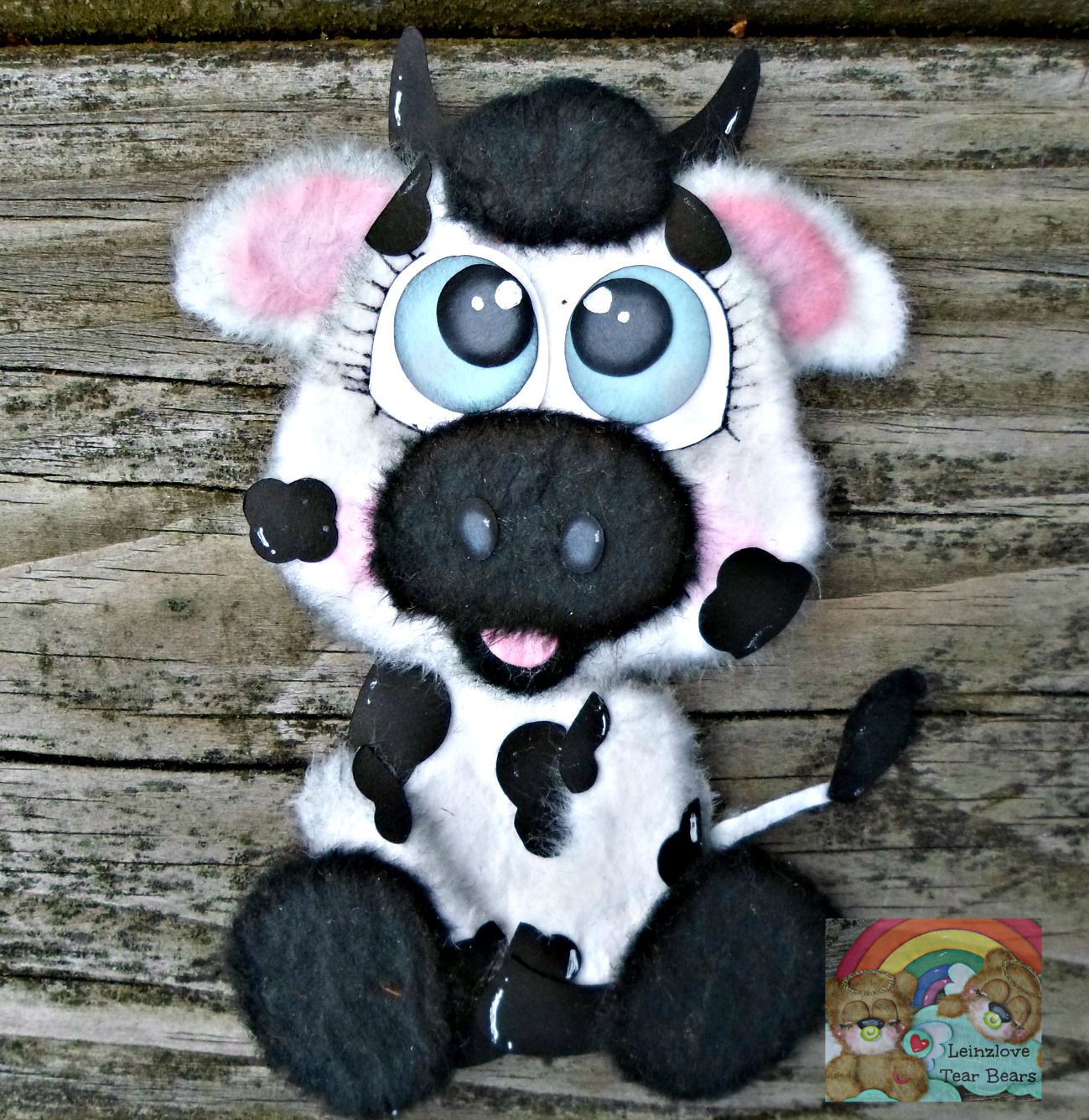
Cow Tear Bear Tag

 
Hello Everyone! Today, I'm sharing a tear bear cow tag.
 
I made this with a pattern from Kadoodle Bug Designs.
You can find this cow svg cut file here: Cutie Katoodles- Cow
 
I uploaded the svg cut file to Cricut Design Space and I cut it out with my Cricut Explore. This is how I make my pattern. I then use a process called tear bear to give this cutie a furry appearance.
 
The tag is created with Cricut Basic Shapes. I just took a rectangle and added a circle to the top and hit attach. I attached a sheer blue ribbon.
 
I sell MADE TO ORDER Tear Bear Cows here in my shop!


Thanks for your visit today!

Tuesday, February 9, 2016

Cupcake Bear Valentine's Day 3D Tear Bear Box Frame


Hello! Welcome to Leinzlove Tear Bears. Today, I'm sharing this 3D Box Frame that I created using different techniques.

I used a super cute bear from Kadoodle Bug Designs. I uploaded this SVG cut file to Cricut Design Space and then I cut out the pattern with my Cricut Explore.

I tore my tear bear out of thick mulberry paper, chalked him up real good and added embellishments, stickers, and glitter.

I also used super cute patterned and embossed paper.

I glued it all down using Fabri- Tac and attatched it to this box frame.

The box frame is a file in Cricut Design Space on the Tags, Box and More 2 cartridge. I sliced down the square box lid to make this. It is sized 5x5.

You can find this for sale in my online shop here.


This is linked up in my favorite challenges.